
Download GetQuiz – AI‑Powered Quiz Generator for Interactive Learning
Overview
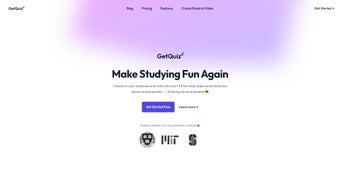
GetQuiz is a web‑based artificial‑intelligence education platform designed to transform any textual material into a fully‑interactive quiz in seconds. Whether you upload a research article, a textbook PDF, an e‑book chapter, or a simple set of lecture notes, the system’s large‑language‑model engine parses the content, extracts key concepts, and builds multiple‑choice, true‑false, fill‑in‑the‑blank, or short‑answer questions that align with the difficulty level you select. The primary educational philosophy behind GetQuiz is active recall combined with spaced repetition—two evidence‑based techniques that dramatically improve long‑term memory retention.
What truly differentiates GetQuiz from generic quiz‑making tools is its seamless Telegram integration: by sending a file to the dedicated GetQuiz bot, users receive a ready‑to‑play quiz instantly, without ever leaving their preferred messaging app. After completing a quiz, the platform generates a performance review that highlights strengths, pinpoints weak areas, and suggests optimal intervals for the next study session. This closed‑loop feedback cycle encourages learners to focus on concepts they struggle with while reinforcing material they already know.
GetQuiz caters to a broad audience, from high‑school students cramming for exams, to university researchers preparing presentations, to corporate teams upskilling in new domains. The service is free for core functionality, secure—thanks to end‑to‑end encryption—and built to scale across any modern device. In short, GetQuiz turns passive reading into an engaging, data‑driven study experience that fits naturally into daily workflows.
Key Features & Capabilities
GetQuiz packs a rich set of capabilities that address the most common pain points of manual quiz creation. The following list outlines each feature in detail, showing how the platform adds value for both individual learners and institutions.
- AI‑Generated Quizzes: Instantly converts any uploaded document into a variety of quiz formats, including multiple‑choice, true/false, fill‑in‑the‑blank, and short‑answer questions, with adaptive difficulty settings.
- Telegram Bot Integration: Enables one‑click file submission via the GetQuiz bot on Telegram, delivering quizzes back to the chat in under a minute for ultra‑fast turnaround.
- Performance Review Dashboard: Offers granular analytics after each quiz—score breakdown, time per question, concept‑level mastery, and personalized study recommendations.
- Smart Scheduling & Spaced‑Repetition: Users can set preferred study windows; the AI schedules follow‑up quizzes at scientifically proven intervals to cement knowledge.
- Multilingual Support: Built on multilingual AI models, GetQuiz automatically detects and processes content in English, Spanish, French, German, Italian, Portuguese, and many other languages.
- Secure Cloud Processing: All uploads are encrypted with TLS 1.3, processed in isolated containers, and automatically deleted after quiz generation unless saved by the user.
- Customizable Difficulty Levels: Choose between beginner, intermediate, and advanced question sets to match your current proficiency and learning goals.
- Cross‑Platform Accessibility: Fully browser‑based, supporting Windows, macOS, Linux, Android, and iOS via any modern browser; the Telegram bot works on native mobile and desktop clients.
- Generous Free Tier & Premium Upgrade: Unlimited quizzes are available for free; the premium plan adds advanced analytics, team collaboration, API access, and priority support.
- Export Options & LMS Integration: Download quizzes as PDF or CSV, or push them directly into learning management systems (Moodle, Canvas, etc.) via a RESTful API.
The combination of AI‑driven content analysis, instant delivery through Telegram, and robust analytics makes GetQuiz a standout tool for anyone looking to maximize study efficiency without the overhead of manual question writing.
Installation, Usage & Compatibility
Getting Started – No Installation Required
Because GetQuiz lives entirely in the cloud, you never download or install a traditional executable. All that’s required is a stable internet connection, a modern web browser (Chrome, Firefox, Edge, or Safari), and an active Telegram account if you wish to use the bot workflow. Follow these steps to begin creating quizzes:
- Navigate to https://getquiz.ai and click the “Sign Up” button. Register using an email address or fast‑track with Google/Apple single sign‑on.
- Confirm your email address via the verification link sent to your inbox.
- After logging in, you’ll be prompted to connect your Telegram account. Click the “Start Bot” button; this opens a chat with the GetQuiz bot and authorizes it to interact with your account.
- In the Telegram chat, attach any supported document type (PDF, DOCX, TXT, or image of a textbook page). The bot acknowledges receipt and begins processing.
- Within 30‑60 seconds, the bot returns a clickable link to your newly generated quiz. Open the link in your browser, select question types and difficulty, then begin the quiz.
- Upon completion, a performance summary appears, and you can immediately schedule the next session or export the quiz for offline review.
Advanced Usage Tips
Power users can take advantage of additional features such as batch uploading multiple files, creating reusable “study packs” that group related quizzes, and enabling the API for automated LMS synchronization. The dashboard also lets you adjust privacy settings, view historical performance trends, and set custom notification preferences (email, push, or Telegram alerts).
Operating System Compatibility
Since GetQuiz runs in a browser, it is fully compatible with Windows 10/11, macOS Monterey and later, most Linux distributions (Ubuntu, Fedora, Debian, etc.), as well as mobile platforms Android 8.0+ and iOS 13+. The Telegram bot works on the native Telegram apps for Android, iOS, and desktop (Windows, macOS, Linux), ensuring a consistent experience across devices.
Security, Privacy & Updates
All data transmissions are protected by TLS 1.3 encryption. Files are processed in isolated containers and automatically purged after quiz generation unless you explicitly save them to your personal library. GetQuiz complies with GDPR, giving users the right to request data deletion at any time. The platform receives continuous AI model updates, which improve question relevance and language support without requiring any user action.
Pros, Cons & Frequently Asked Questions
Pros
- Instant, AI‑driven quiz creation eliminates hours of manual question writing.
- Telegram integration offers a mobile‑first, frictionless workflow.
- Comprehensive performance analytics guide focused study sessions.
- Generous free tier provides unlimited quizzes for individual learners.
- Cross‑platform browser support removes compatibility concerns.
- Multilingual processing expands usability for non‑English speakers.
- Secure, GDPR‑compliant data handling protects user privacy.
- Export options and API enable easy integration with existing LMS tools.
Cons
- AI may occasionally misinterpret highly specialized technical terminology.
- Complex PDFs with heavy formatting sometimes require manual clean‑up before quiz generation.
- Advanced analytics and team collaboration features are locked behind the premium subscription.
- No native offline desktop application; continuous internet access is required.
- Reliance on Telegram means users without the app must use the web dashboard, which lacks push notifications.
Frequently Asked Questions
Is GetQuiz really free?
Yes. The core functionality—uploading a document and receiving an unlimited number of quizzes—is completely free. A premium subscription is optional and adds features like team collaboration, advanced analytics, API priority, and custom branding.
Can I use GetQuiz with non‑English texts?
Absolutely. GetQuiz supports a wide range of languages, including Spanish, French, German, Italian, Portuguese, and many others. The AI automatically detects the language of the uploaded content and creates appropriately worded questions.
How secure is my uploaded material?
All uploads are encrypted in transit using TLS 1.3 and stored at rest in isolated containers. Files are automatically deleted after quiz generation unless you choose to retain them in your personal library. The platform complies with GDPR and provides a simple data‑deletion request process.
Do I need a Telegram account to use GetQuiz?
Telegram offers the most streamlined workflow, but it is not mandatory. You can upload documents directly through the web dashboard and receive quizzes without involving the bot. However, using Telegram enables instant push notifications and quick file sharing.
Can I export quizzes for use in other LMS platforms?
Yes. After a quiz is generated, you can download it as a PDF or CSV file. For deeper integration, GetQuiz provides a RESTful API that lets you push quizzes directly into popular LMS solutions such as Moodle, Canvas, or custom corporate learning portals.
Conclusion & Call to Action
GetQuiz bridges the gap between passive reading and active learning by turning any piece of content into an interactive quiz that adapts to your skill level and study schedule. Its AI‑driven question generation, seamless Telegram workflow, and detailed performance analytics create a powerful study ecosystem that works on any device—whether you’re at a desktop, laptop, tablet, or smartphone. The free tier already provides unlimited quizzes, secure cloud processing, and cross‑platform accessibility, features that many paid LMS add‑ons charge extra for. For learners seeking to improve retention, educators aiming to provide instant assessments, or professionals needing rapid knowledge checks, GetQuiz delivers a low‑cost, high‑impact solution. Download GetQuiz today, connect it to Telegram, and start converting your reading material into actionable knowledge that sticks.






